Draw an image
through movement.
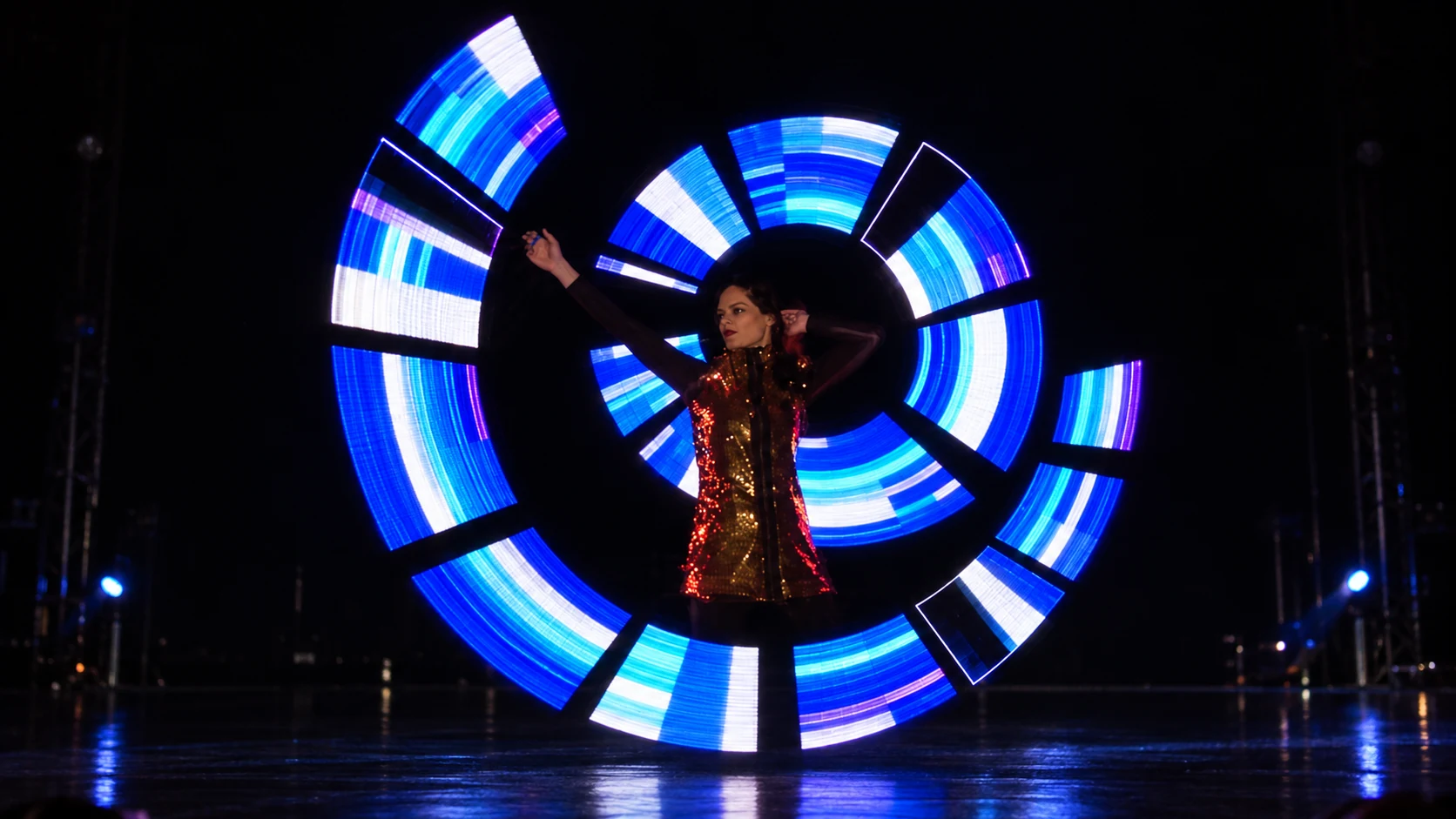
A moving pixel object reveals patterns and imagery. Content, rotation and the viewing angle need to work together.
Stage hardware & device control
LightFlow connects programmable pixel hardware with the control, content timing and synchronisation needed to bring it into performance.
Pixel hardware & device control
A moving pixel object reveals patterns and imagery. Content, rotation and the viewing angle need to work together.
Flowing colour and timed changes support the movement. The sequence can develop from a solo phrase into an ensemble idea.
The control belongs with the hardware
LightFlow brings pixel hardware, content preparation and device synchronisation into the same brief. The control approach follows the participating devices and the movement the performance needs.
Patterns, images & timing
LightFlow & device firmware
Physical devices in motion
Define the setup
Device compatibility, synchronisation behaviour and operating conditions are confirmed against the specific setup.
Start with the image you want to create. Graphics-led work and colour-led movement have different content and performance needs; the final configuration follows that brief.
Share the equipment and timing requirements with us. Compatibility and the scope of any shared control setup are assessed for the specific production.
Start a conversation
Share your intended patterns, movement vocabulary, group size and show environment. The appropriate equipment, content workflow and system specifications are confirmed for the project.